
readme.md (2362B)
1 # Architeuthis Dux 2 3 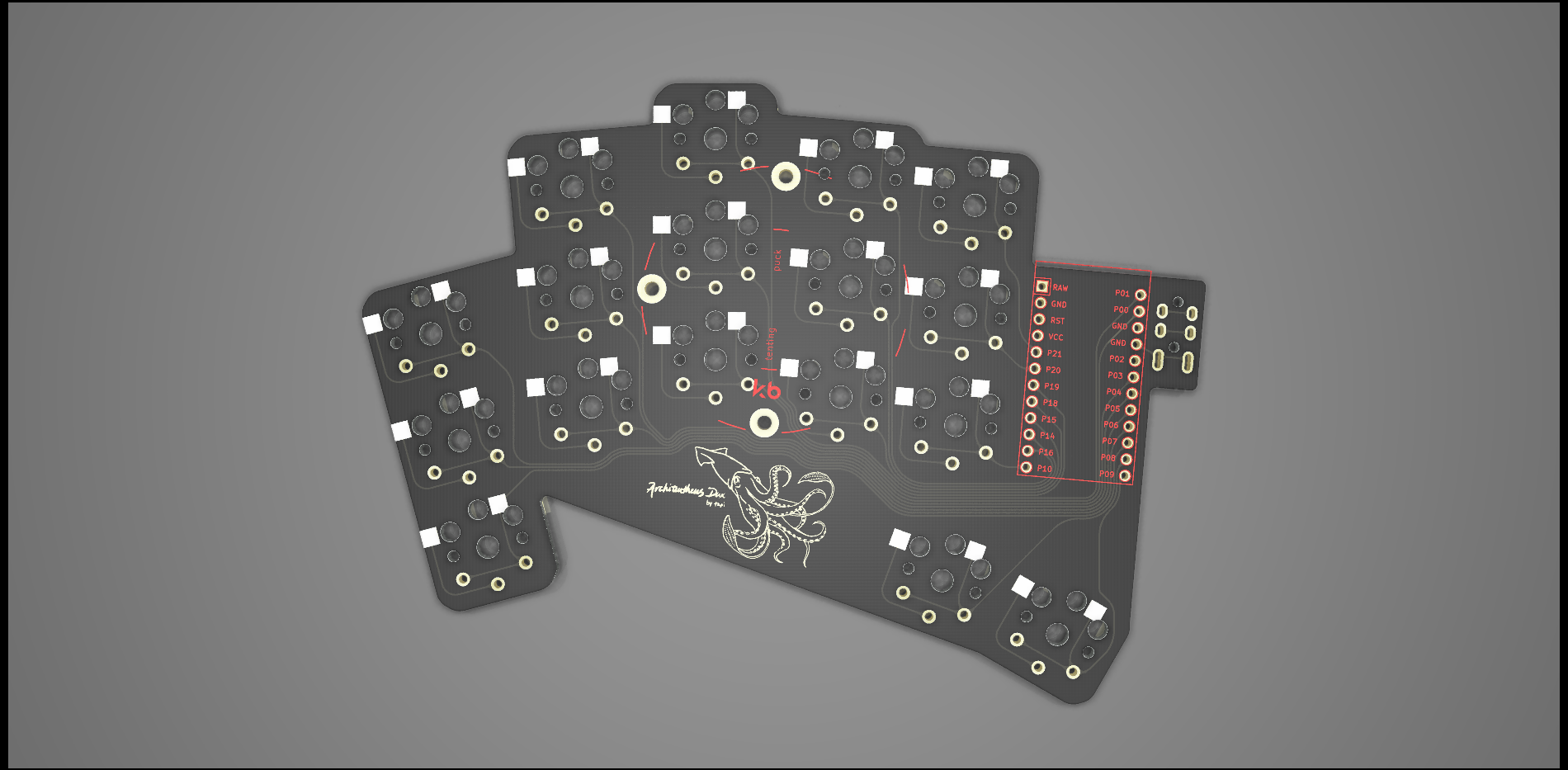 4 5 AKA A. dux, A.D., "Giant squid" 6 7 34 keys, same stagger as [D. gigas](https://github.com/tapioki/cephalopoda/tree/main/Dosidicus%20gigas), but with two thumb keys included. Pinky, ring, index, and inner columns splayed at 15, 5, 0, -5, -5 degrees. SplitKB Tenting Puck support. All PCB files are available on the [project's github page](https://github.com/tapioki/cephalopoda/tree/main/Architeuthis%20dux) 8 9 Thank you [Perce](https://madebyperce.com/) for the logo. 10 11 ## Case Options 12 13 * [Flat Case](https://github.com/madebyperce/aduxcase) 14 * [Tented Case](https://github.com/jdart/adux-tent) 15 * [Case with Plates](https://github.com/sadekbaroudi/cephalopoda/tree/main/Architeuthis%20dux/case) 16 17 ## Keyboard Info 18 19 * Keyboard Maintainer: [@tapioki](https://github.com/tapioki) 20 * Hardware Supported: Architeuthis Dux 21 * Hardware Availability: Order PCBs with gerber files from the [repository](https://github.com/tapioki/cephalopoda/tree/main/Architeuthis%20dux) 22 23 Make example for this keyboard (after setting up your build environment): 24 25 make a_dux:default 26 27 See the [build environment setup](https://docs.qmk.fm/#/getting_started_build_tools) and the [make instructions](https://docs.qmk.fm/#/getting_started_make_guide) for more information. Brand new to QMK? Start with our [Complete Newbs Guide](https://docs.qmk.fm/#/newbs). 28 29 ## Setting Handedness 30 31 Firmware uses [handedness by EEPROM](https://docs.qmk.fm/#/feature_split_keyboard?id=handedness-by-eeprom) as default and it must be *configured once* on each side. The make commands are: 32 33 make a_dux:default:dfu-split-left 34 make a_dux:default:dfu-split-right 35 36 [QMK Toolbox](http://qmk.fm/toolbox) can also be used to set EEPROM handedness. Place the controller in bootloader mode and select menu option Tools -> EEPROM -> Set Left/Right Hand 37 38 ## Bootloader 39 40 Enter the bootloader in 3 ways: 41 42 * **Bootmagic reset**: Hold down the top left key on the left half (or the top right right key on the right half) and plug in the controller on that side. 43 * **Physical reset pins**: Briefly short the RST and GND pins on the microcontroller using tweezers, a paperclip, or any other conductive material. 44 * **Keycode in layout**: Press the key mapped to `QK_BOOT` if it is configured. 45