
readme.md (1917B)
1 # Acheron Apollo87H QMK firmware 2 3 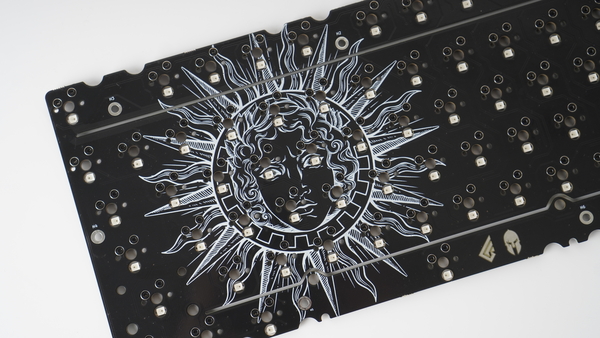 4 5 The Apollo87H is Acheron Project's open-source, freely available tenkeyless (TKL) keyboard Printed Circuit Boards (PCB) which features: 6 7 - Per-key RGB lighting 8 - Hotswap sockets 9 - ANSI default layout with F12 and 6.25 units spacebar. 10 11 * Keyboard Maintainer: [Gondolindrim](https://github.com/Gondolindrim) 12 * Hardware Supported: open-source PCB using the [Joker template](https://acheronproject.com/joker_mcus/joker/). First units were manufactured using STM32F401 microcontroller; 13 * Hardware Availability: these PCBs are open-source so you can manufacture them yourself or order them from a factory. See the [project's documentation](https://acheronproject.com/pcbs/apollo/apollo/) for more information. 14 15 In order to flash this PCB, first build the default layout (after setting up your build environment): 16 17 make acheron/apollo/87h/<revision>:default 18 19 Where `revision` is the revision of your PCB. Two revisions were prototyped and sold: _Gamma_ and _Delta_. Look into the label on the PCB's back to see what revision is yours. Ready-to-use binaries for the default and the VIA layouts are available in the release pages of the [project's repository](https://github.com/AcheronProject/Apollo87H). 20 21 After building or downloading the firmware, put the PCB into DFU mode by holding the reset button for at least five seconds and upload the firmware onto the microcontroller through a utility like `dfu-util` or QMK Toolbox. Alternatively, you can build and flash using: 22 23 make acheron/apollo/87h/<revision>:default:flash 24 25 See the [build environment setup](https://docs.qmk.fm/#/getting_started_build_tools) and the [make instructions](https://docs.qmk.fm/#/getting_started_make_guide) for more information. Brand new to QMK? Start with our [Complete Newbs Guide](https://docs.qmk.fm/#/newbs).