
readme.md (1950B)
1 # SharkPCB QMK firmware 2 3 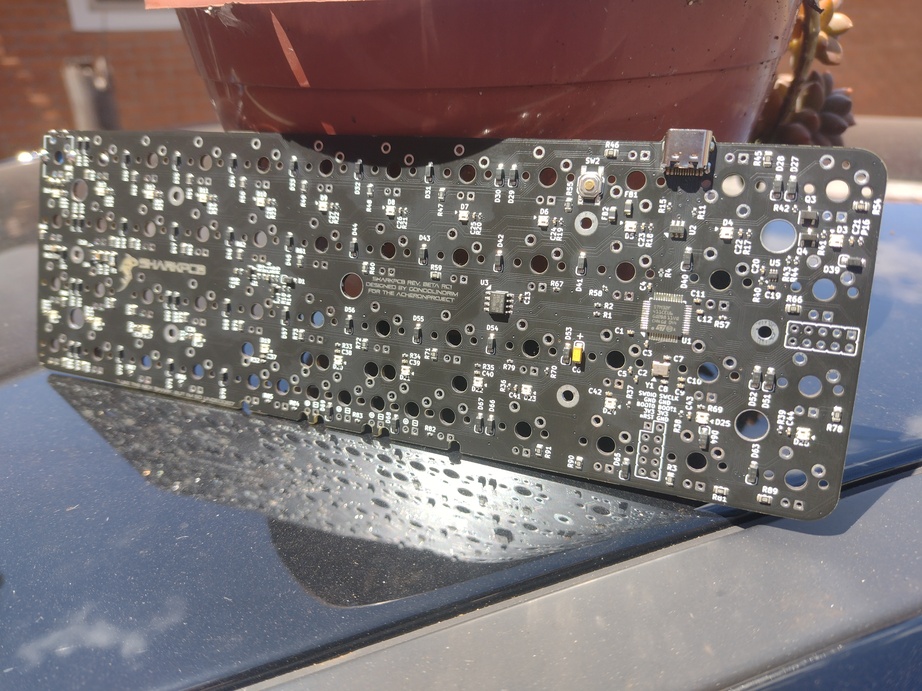 4 5 The SharkPCB is an open-source ortholinear 40% layout designed by Gondolindrim for the AcheronProject. 6 7 * Keyboard Maintainer: [Gondolindrim](https://github.com/gondolindrim) 8 * Hardware Availability: you can get release Beta SharkPCBs using the JLCPCB manufacturer using the files at [its documentation](http:/acheronproject.com/pcbs/shark/shark/) 9 10 ## How to flash 11 12 ### Enter bootloader 13 14 ### Release Alpha: 15 16 The DFU state in the bootloader can be accessed in 2 ways: 17 18 * **Bootmagic reset**: hold down the key at (0,0) in the matrix (usually the top left key or Escape) and plug in the keyboard 19 * **Physical reset button**: press the button on the back of the PCB 20 * **Keycode in layout**: press the key mapped to `QK_BOOT` if it is available (ESC key at layer 1 in the default layout) 21 22 ### Release Beta: 23 24 The DFU state in the bootloader can be accessed in 3 ways: 25 26 * **Bootmagic reset**: hold down the key at (0,0) in the matrix (usually the top left key or Escape) and plug in the keyboard 27 * **Physical reset button**: press the button on the back of the PCB, for at least five seconds 28 * **Keycode in layout**: press the key mapped to `QK_BOOT` if it is available (ESC key at layer 1 in the default layout) 29 30 ## Compile firmware 31 32 ### Release Alpha 33 34 After accessing the DFU state in your PCB, build the default layout using: 35 36 make acheron/shark/alpha:default 37 38 ### Release Beta 39 40 After accessing the DFU state in your PCB, build the default layout using: 41 42 make acheron/shark/beta:default 43 44 Then download the resulting binary `*bin` file using `dfu-util` or QMK Toolbox. 45 46 See the [build environment setup](https://docs.qmk.fm/#/getting_started_build_tools) and the [make instructions](https://docs.qmk.fm/#/getting_started_make_guide) for more information. Brand new to QMK? Start with our [Complete Newbs Guide](https://docs.qmk.fm/#/newbs).