
readme.md (5533B)
1 # Corne Keyboard (CRKBD) 2 3 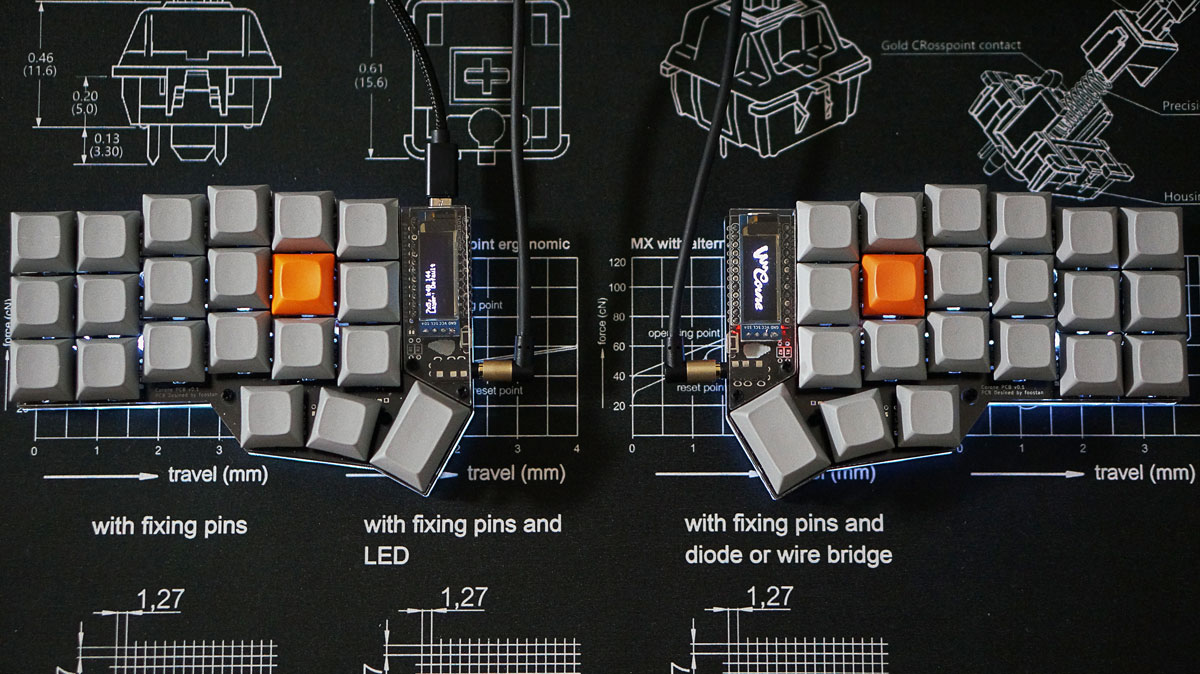 4 5 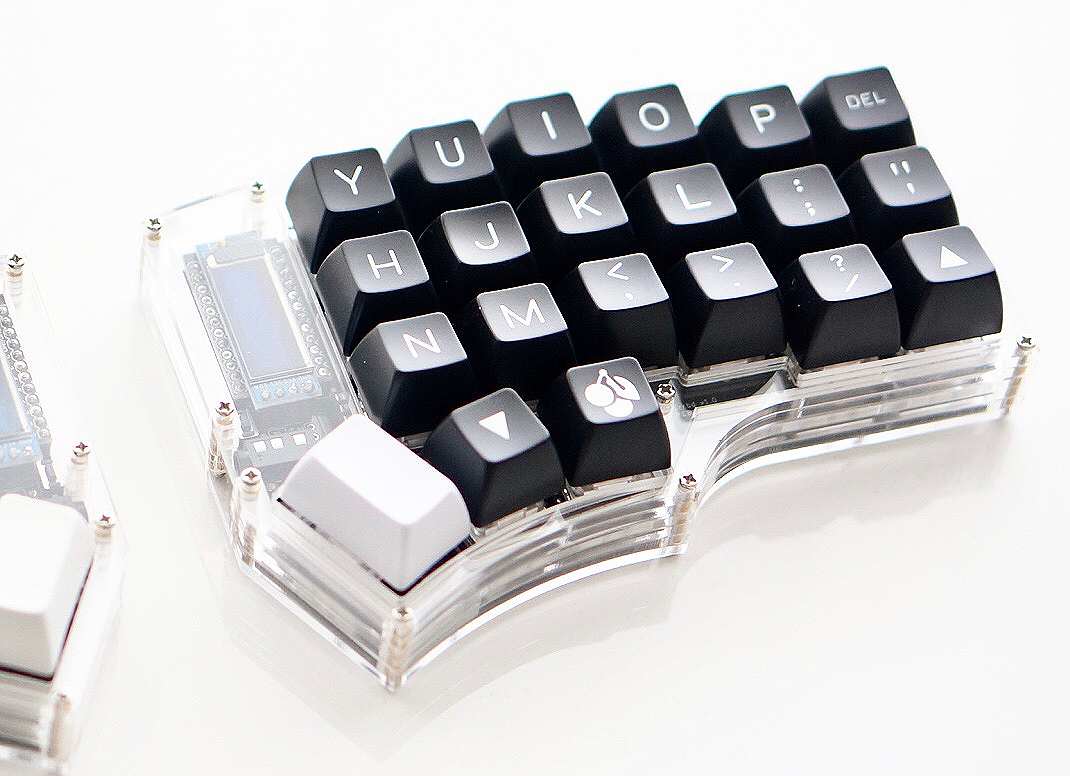 6 7 A split keyboard with 3x6 vertically staggered keys and 3 thumb keys. 8 Also, it has the option that use extension keys and rotary encoders. 9 10 Keyboard Maintainer: [foostan](https://github.com/foostan/) [@foostan](https://twitter.com/foostan) 11 Hardware Supported: Corne PCB 12 Hardware Availability: [PCB & Case Data](https://github.com/foostan/crkbd) 13 14 Flash example for this keyboard of v1 - v3: 15 16 ```sh 17 qmk flash -kb crkbd/rev1 -km default 18 ``` 19 20 Flash example for this keyboard of v4: 21 22 ```sh 23 qmk flash -kb crkbd/rev4 -km default 24 ``` 25 26 See the [build environment setup](https://docs.qmk.fm/#/getting_started_build_tools) and the [make instructions](https://docs.qmk.fm/#/getting_started_make_guide) for more information. Brand new to QMK? Start with our [Complete Newbs Guide](https://docs.qmk.fm/#/newbs). 27 28 ## Bootloader 29 30 The Corne PCBs have a reset and boot buttons next to the TRRS jack to enter in to the bootloader. 31 32 Additionally, if you hold down the "Q" or "P" buttons when plugging in that half of the keyboard (per the default QWERTY layout), this will jump to the bootloader and reset the EEPROM (persistent storage). This would normally be the very top corner-most position, but due to the breakaway column, it's left at Q and P for compatibility. 33 34 ## RGB Matrix 35 The Corne Keyboard also supports using the RGB Matrix feature, in place of RGB Light. This provides a better experience when using the keyboard, as it supports a number of per key effects properly. If you're not using the in switch LEDs, then you may want to pass on doing this. 36 37 In your keymap's `rules.mk` file, add the following: 38 39 ```make 40 RGBLIGHT_ENABLE = no 41 RGB_MATRIX_ENABLE = yes 42 ``` 43 44 And in your `config.h` file, add the following: 45 46 ```c 47 48 #ifdef RGB_MATRIX_ENABLE 49 # define RGB_MATRIX_KEYPRESSES // reacts to keypresses 50 // # define RGB_MATRIX_KEYRELEASES // reacts to keyreleases (instead of keypresses) 51 # define RGB_MATRIX_SLEEP // turn off effects when suspended 52 # define RGB_MATRIX_FRAMEBUFFER_EFFECTS 53 // # define RGB_MATRIX_LED_PROCESS_LIMIT (RGB_MATRIX_LED_COUNT + 4) / 5 // limits the number of LEDs to process in an animation per task run (increases keyboard responsiveness) 54 // # define RGB_MATRIX_LED_FLUSH_LIMIT 16 // limits in milliseconds how frequently an animation will update the LEDs. 16 (16ms) is equivalent to limiting to 60fps (increases keyboard responsiveness) 55 # define RGB_MATRIX_MAXIMUM_BRIGHTNESS 150 // limits maximum brightness of LEDs to 150 out of 255. Higher may cause the controller to crash. 56 # define RGB_MATRIX_HUE_STEP 8 57 # define RGB_MATRIX_SAT_STEP 8 58 # define RGB_MATRIX_VAL_STEP 8 59 # define RGB_MATRIX_SPD_STEP 10 60 61 /* Enable the animations you want/need. You may need to enable only a small number of these because * 62 * they take up a lot of space. Enable and confirm that you can still successfully compile your firmware. */ 63 // RGB Matrix Animation modes. Explicitly enabled 64 // For full list of effects, see: 65 // https://docs.qmk.fm/#/feature_rgb_matrix?id=rgb-matrix-effects 66 # define ENABLE_RGB_MATRIX_ALPHAS_MODS 67 # define ENABLE_RGB_MATRIX_GRADIENT_UP_DOWN 68 # define ENABLE_RGB_MATRIX_GRADIENT_LEFT_RIGHT 69 # define ENABLE_RGB_MATRIX_BREATHING 70 # define ENABLE_RGB_MATRIX_BAND_SAT 71 # define ENABLE_RGB_MATRIX_BAND_VAL 72 # define ENABLE_RGB_MATRIX_BAND_PINWHEEL_SAT 73 # define ENABLE_RGB_MATRIX_BAND_PINWHEEL_VAL 74 # define ENABLE_RGB_MATRIX_BAND_SPIRAL_SAT 75 # define ENABLE_RGB_MATRIX_BAND_SPIRAL_VAL 76 # define ENABLE_RGB_MATRIX_CYCLE_ALL 77 # define ENABLE_RGB_MATRIX_CYCLE_LEFT_RIGHT 78 # define ENABLE_RGB_MATRIX_CYCLE_UP_DOWN 79 # define ENABLE_RGB_MATRIX_RAINBOW_MOVING_CHEVRON 80 # define ENABLE_RGB_MATRIX_CYCLE_OUT_IN 81 # define ENABLE_RGB_MATRIX_CYCLE_OUT_IN_DUAL 82 # define ENABLE_RGB_MATRIX_CYCLE_PINWHEEL 83 # define ENABLE_RGB_MATRIX_CYCLE_SPIRAL 84 # define ENABLE_RGB_MATRIX_DUAL_BEACON 85 # define ENABLE_RGB_MATRIX_RAINBOW_BEACON 86 # define ENABLE_RGB_MATRIX_RAINBOW_PINWHEELS 87 # define ENABLE_RGB_MATRIX_RAINDROPS 88 # define ENABLE_RGB_MATRIX_JELLYBEAN_RAINDROPS 89 # define ENABLE_RGB_MATRIX_HUE_BREATHING 90 # define ENABLE_RGB_MATRIX_HUE_PENDULUM 91 # define ENABLE_RGB_MATRIX_HUE_WAVE 92 # define ENABLE_RGB_MATRIX_PIXEL_RAIN 93 # define ENABLE_RGB_MATRIX_PIXEL_FLOW 94 # define ENABLE_RGB_MATRIX_PIXEL_FRACTAL 95 // enabled only if RGB_MATRIX_FRAMEBUFFER_EFFECTS is defined 96 # define ENABLE_RGB_MATRIX_TYPING_HEATMAP 97 # define ENABLE_RGB_MATRIX_DIGITAL_RAIN 98 // enabled only of RGB_MATRIX_KEYPRESSES or RGB_MATRIX_KEYRELEASES is defined 99 # define ENABLE_RGB_MATRIX_SOLID_REACTIVE_SIMPLE 100 # define ENABLE_RGB_MATRIX_SOLID_REACTIVE 101 # define ENABLE_RGB_MATRIX_SOLID_REACTIVE_WIDE 102 # define ENABLE_RGB_MATRIX_SOLID_REACTIVE_MULTIWIDE 103 # define ENABLE_RGB_MATRIX_SOLID_REACTIVE_CROSS 104 # define ENABLE_RGB_MATRIX_SOLID_REACTIVE_MULTICROSS 105 # define ENABLE_RGB_MATRIX_SOLID_REACTIVE_NEXUS 106 # define ENABLE_RGB_MATRIX_SOLID_REACTIVE_MULTINEXUS 107 # define ENABLE_RGB_MATRIX_SPLASH 108 # define ENABLE_RGB_MATRIX_MULTISPLASH 109 # define ENABLE_RGB_MATRIX_SOLID_SPLASH 110 # define ENABLE_RGB_MATRIX_SOLID_MULTISPLASH 111 #endif 112 ``` 113 114 After this is done, you should be able to use the normal RGB keycodes, but you'll see the RGB Matrix effects in use, giving a much better experience.