
readme.md (1451B)
1 # JJ4x4 2 3 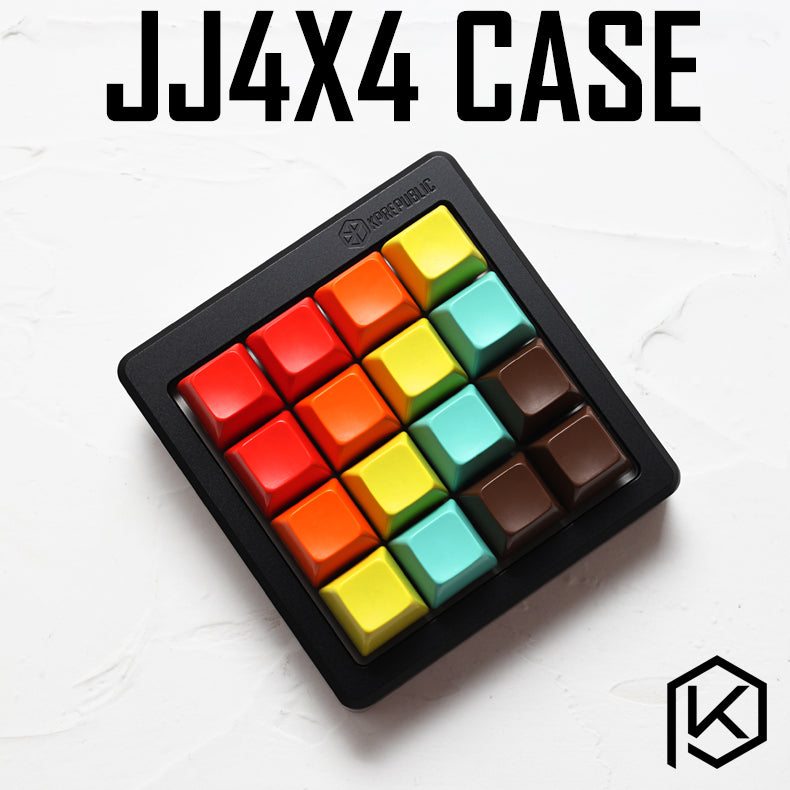 4 5 A 4x4 keypad kit made and KPRepublic on AliExpress. This is a chopped off version of the JJ40 with rearranged keys. 6 7 * Keyboard Maintainer: [QMK Community](https://github.com/qmk) 8 * Hardware Supported: Atmega32A 9 * Hardware Availability: [AliExpress](https://www.aliexpress.com/item/jj4x4-jj4X4-16-keys-Custom-Mechanical-Keyboard-PCB-programmed-numpad-layouts-bface-firmware-with-rgb-bottom/32901955446.html) 10 11 Make example for this keyboard (after setting up your build environment): 12 13 make kprepublic/jj4x4:default 14 15 Flashing example for this keyboard: 16 17 make kprepublic/jj4x4:default:flash 18 19 **Reset Key**: 20 21 Hold down the key located at *K11*, commonly programmed as *8* while plugging in the keyboard USB cable. 22 23 Key *K11* is in the above picture: 24 25 Row 2 from the top, Column 2 from the left, see the schematic below: 26 27 ``` 28 ,-----------------------. 29 | | | | | 30 |-----`-----`-----`-----| 31 | | K11 | | | 32 |-----`-----`-----`-----| 33 | | | | | 34 |-----`-----`-----`-----| 35 | | | | | 36 `-----`-----`-----`-----' 37 ``` 38 39 See the [build environment setup](https://docs.qmk.fm/#/getting_started_build_tools) and the [make instructions](https://docs.qmk.fm/#/getting_started_make_guide) for more information. Brand new to QMK? Start with our [Complete Newbs Guide](https://docs.qmk.fm/#/newbs).