readme.md (3422B)
1 # Iron 165R2 QMK folder 2 3 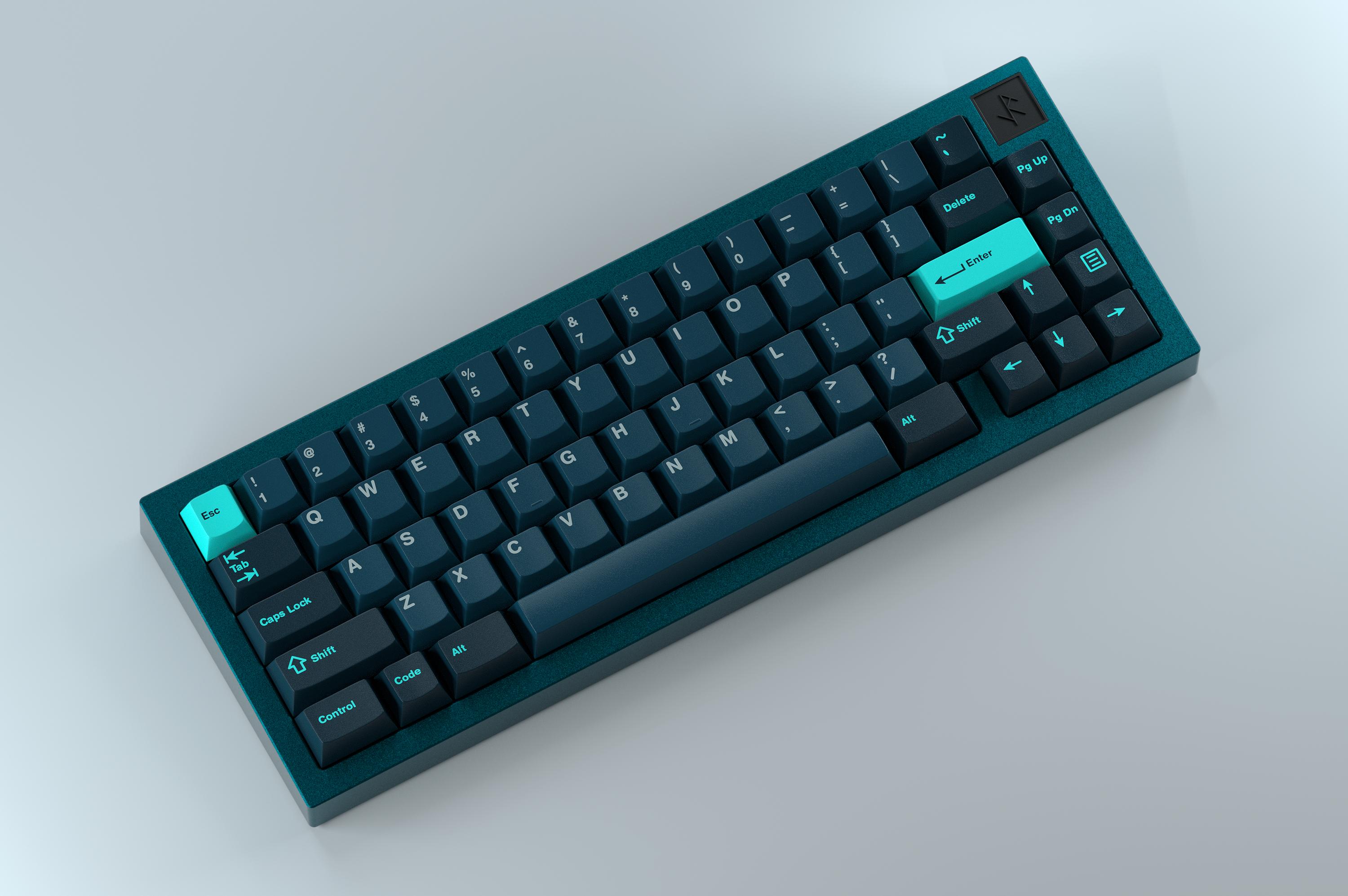 4 5 ## Introduction 6 7 This is the QMK Firmware repository for the Iron165 Round 2 PCB, a keyboard designed by [Smith and Rune](https://smithrune.com/) and PCB designed by [Gondolindrim](http://github.com/Gondolindrim), who is also the firwmare maintainer. 8 9 The Iron 165R2 PCB is a 65% PCB with support for a myriad of alternative layouts, including a 7U bottom row and ISO. It also supports in-switch single-color LEDs and RGB LEDs for underglow light. 10 11 As of November 2021, the only way to obtain an Iron165 was through the [Group Buy](https://geekhack.org/index.php?topic=110985) which is already over; extra units are still to be sold. 12 13 ## How to flash 14 15 ### Enter bootloader 16 17 The DFU state in the bootloader can be accessed in 3 ways: 18 19 * **Bootmagic reset**: Hold down the key at (0,0) in the matrix (usually the top left key, escape in the default keymap) and plug in the keyboard; 20 * **Physical reset button**: press the button on the front of the PCB, next to caps lock, for at least five seconds; 21 * **Keycode in layout**: Press the key mapped to `QK_BOOT`; in the default layout, that is top left key ('escape') in layer 1. 22 23 ### How to compile and flash 24 25 The 165R2 PCB was prototyped and tested using two microcontrollers: STM32F072 and STM32F411. Most production-run units were manufactured with the latter. 26 27 After checking what PCB you own and setting up your build environment, you can compile the Iron 165R2 default keymap by using one of the options below. 28 29 make smithrune/iron165r2/f072:default 30 make smithrune/iron165r2/f411:default 31 32 And use dfu-util in the command line or through a GUI like QMK toolbox to upload the firmware to the PCB. To directly flash the PCB after it is put into a DFU state, use: 33 34 make smithrune/iron165r2/f072:default:flash 35 make smithrune/iron165r2/f411:default:flash 36 37 See the [build environment setup](https://docs.qmk.fm/#/getting_started_build_tools) and the [make instructions](https://docs.qmk.fm/#/getting_started_make_guide) for more information. Brand new to QMK? Start with our [Complete Newbs Guide](https://docs.qmk.fm/#/newbs). 38 39 ## The "runes RGB" feature 40 41 The firmware for 165R2 allows the user to control the RGBs on the PCB through limiting their span according to the usage. There are four possible usages: 42 43 - "Rune RGBs" where only the RGBs under the SnR rune logo on the 165R2 case are lit up; 44  45 - "Line RGBs" where only the RGBs on the two alpha cluster rows are lit up; 46  47 - "Luke RGBs" where the line RGBs and D25-D23 are on (to avoid hotspotting on the rune backplate); and 48  49 - "All RGBs" where all RGBs are turned on. 50  51 52 In order to use the "rune RGBs" option, you can turn this option on by un-commenting the respective line on the corresponding `config.h` file: 53 54 #define RUNE_RGBS 55 56 If you want to use the "line RGBs" option, you can un-comment the respective lone on the corresponding `config.h` file: 57 58 #define LINES_RGBS 59 60 If you want to use the "luke RGBs" option, you can un-comment the respective lone on the corresponding `config.h` file: 61 62 #define LUKE_RGBS 63 64 The options supersede each other in this order. If no option is defined, then the firwmare defaults to the "all RGBs" option.